Customers rarely use one way to place an order. One customer emails a PDF, another sends a spreadsheet, and another includes order details in a message or image. These sources are convenient for customers but fragment the supplier's intake process. Employees must monitor separate queues, assemble the request context, identify customers and products, and prepare data for ERP or CRM.
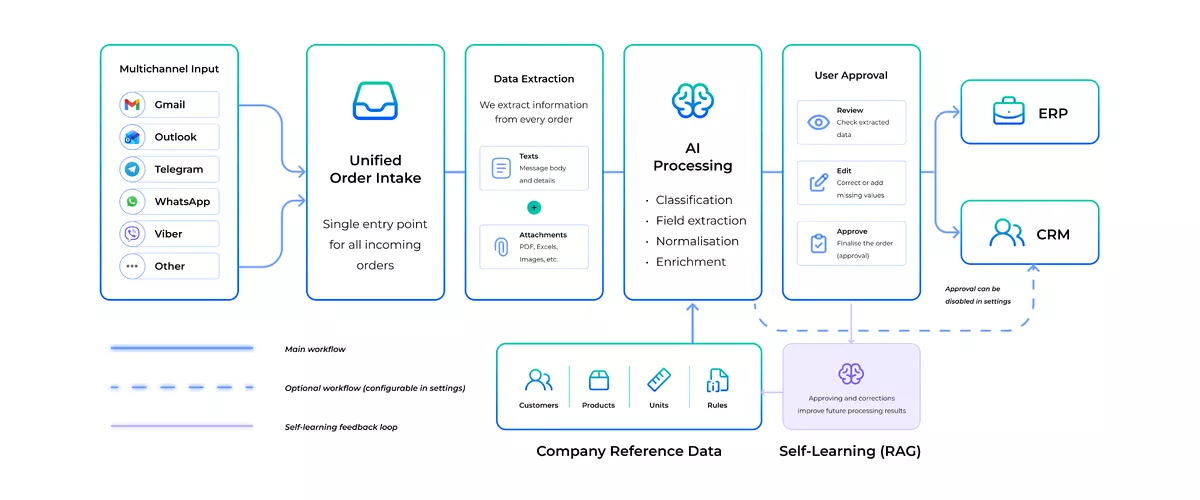
TARVYX gives supported email and messaging sources one consistent processing path: capture the request, understand the content, match and validate the data, obtain user approval by default, and send the validated record to ERP or CRM.
Why multiple channels create operational complexity

The main complexity begins after a request arrives: the business must establish who sent it, assemble the complete context, interpret the format, apply the correct rules, and make ownership visible.
1. Customer identity changes by channel
An email address may map directly to a customer account. A messaging profile may show a personal name or phone number. A document may use a trading name that differs from the legal account stored internally.
Before the business can process the order, someone must determine who sent it, which account it belongs to, and which customer-specific terms apply.
2. The order context is split between text and files
One order may include a message, a PDF, a spreadsheet, and a note from the account manager. Another may contain all required information in a single document.
When teams handle each file or message in isolation, they can miss the information that explains the request. A quantity in the message may qualify a value in an attachment. A product specification may apply to only one line.
3. Each format requires a different reading method
A native PDF, a scanned image, an Excel workbook, and free text do not produce structured data in the same way. OCR or vision processing may be needed for a scan. A spreadsheet requires table and cell handling. Free text requires language interpretation.
Reading the source is only the beginning. The extracted values still have to be connected to the customer's account, approved product records, units, prices, and delivery rules.
4. Manual rules drift between queues
A shared inbox may have a documented review process. Orders sent directly to a salesperson may depend on that person's experience. One team may compare prices with approved reference data while another accepts the value shown in the request.
The company then has several versions of the same order process. Accuracy and turnaround depend on where the request arrived rather than on what the order requires.
5. Ownership becomes unclear
Without a common intake status, the business cannot answer simple operational questions reliably:
- Which orders are new?
- Which requests need attention?
- What is blocking approval?
- Which orders have moved downstream?
- Which requests failed or were rejected?
AI can help interpret variable language and document layouts, but it should not create a product mapping or conversion that the business has not accepted.
What is multichannel order intake?
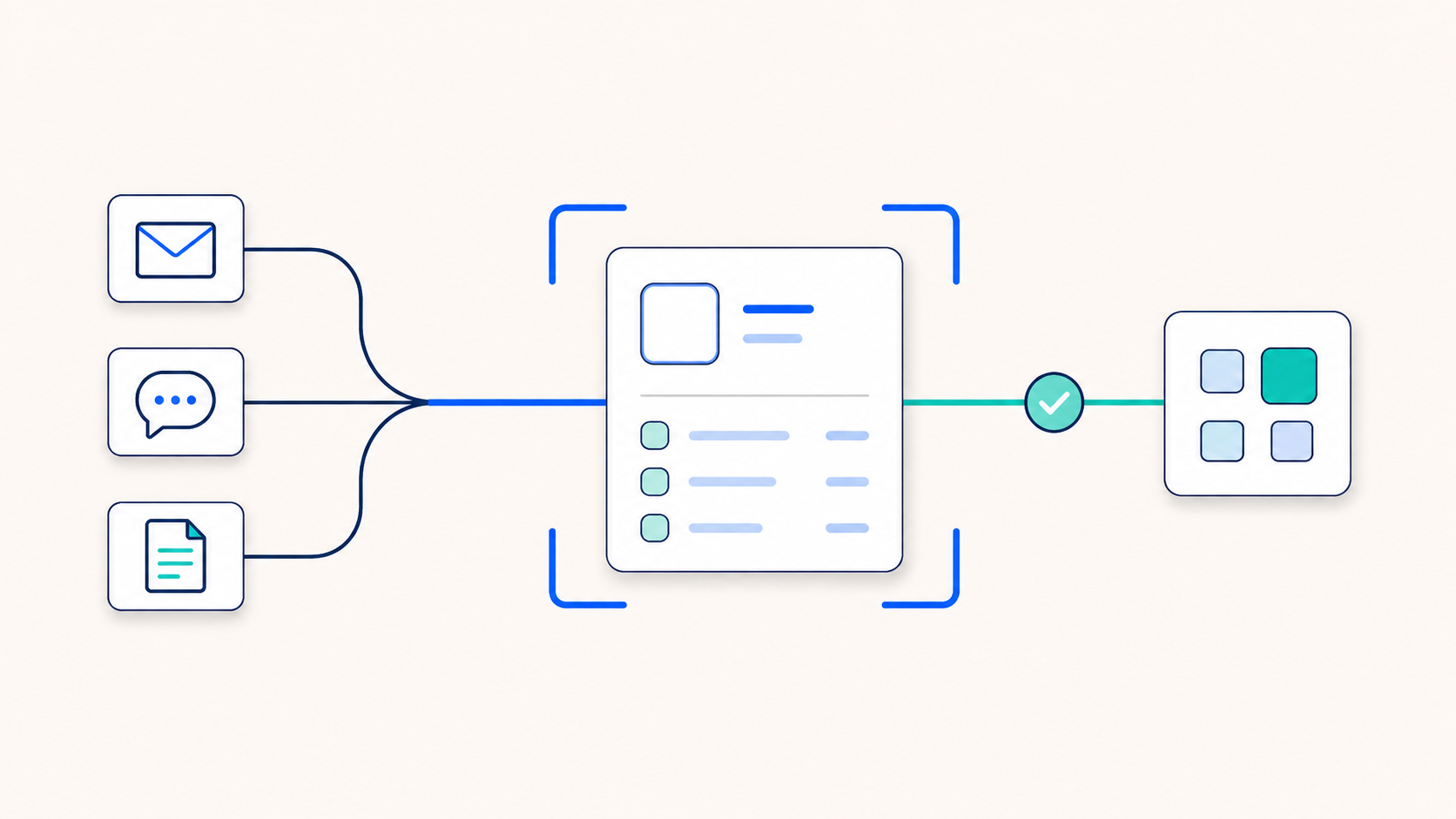
Multichannel order intake is the process of capturing customer orders from more than one supported source and moving them through a consistent workflow for interpretation, matching, validation, exception review, approval, and delivery to ERP or CRM.
The sources do not have to behave in the same way. Email and messaging require different connections. PDF, Excel, scans, images, and free text require different processing methods. What becomes consistent is the business logic applied after the request enters the workflow.
A useful B2B order intake process should preserve the available source context, create a structured order draft, resolve customer language against internal data, expose uncertainty, and record what happens next.
Collecting messages in one interface is not enough. The business needs a record that uses the identifiers and rules accepted by its ERP or CRM system.
Multichannel intake is not multichannel order management
Multichannel order intake focuses on how incoming customer requests enter the business and become validated order records.
Order management covers what happens after that point, including fulfilment, inventory, shipment, billing, status updates, and other downstream operations.
TARVYX focuses on the intake stage: from incoming customer requests to validated records prepared for ERP or CRM.
How TARVYX creates a consistent order intake workflow
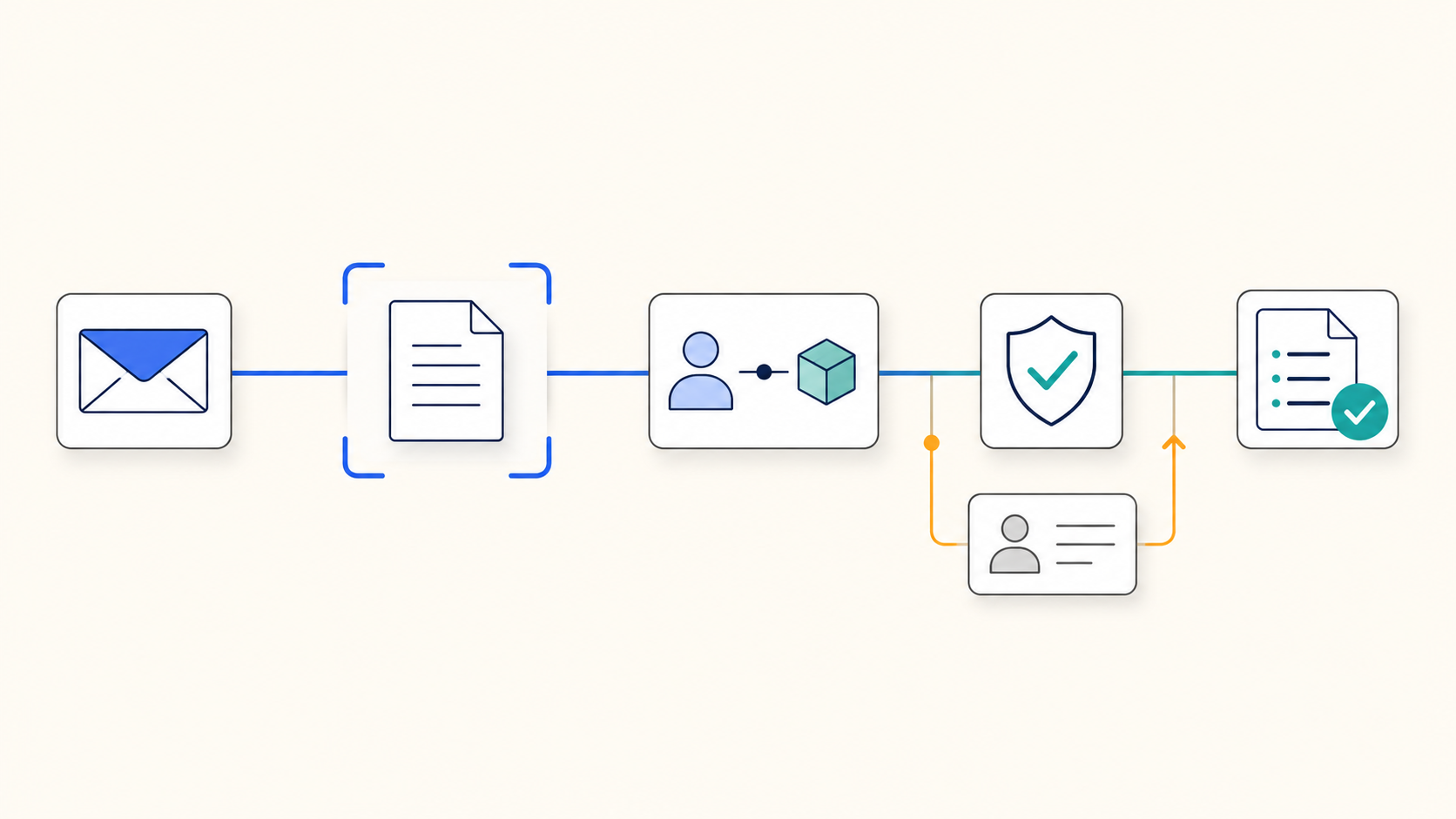
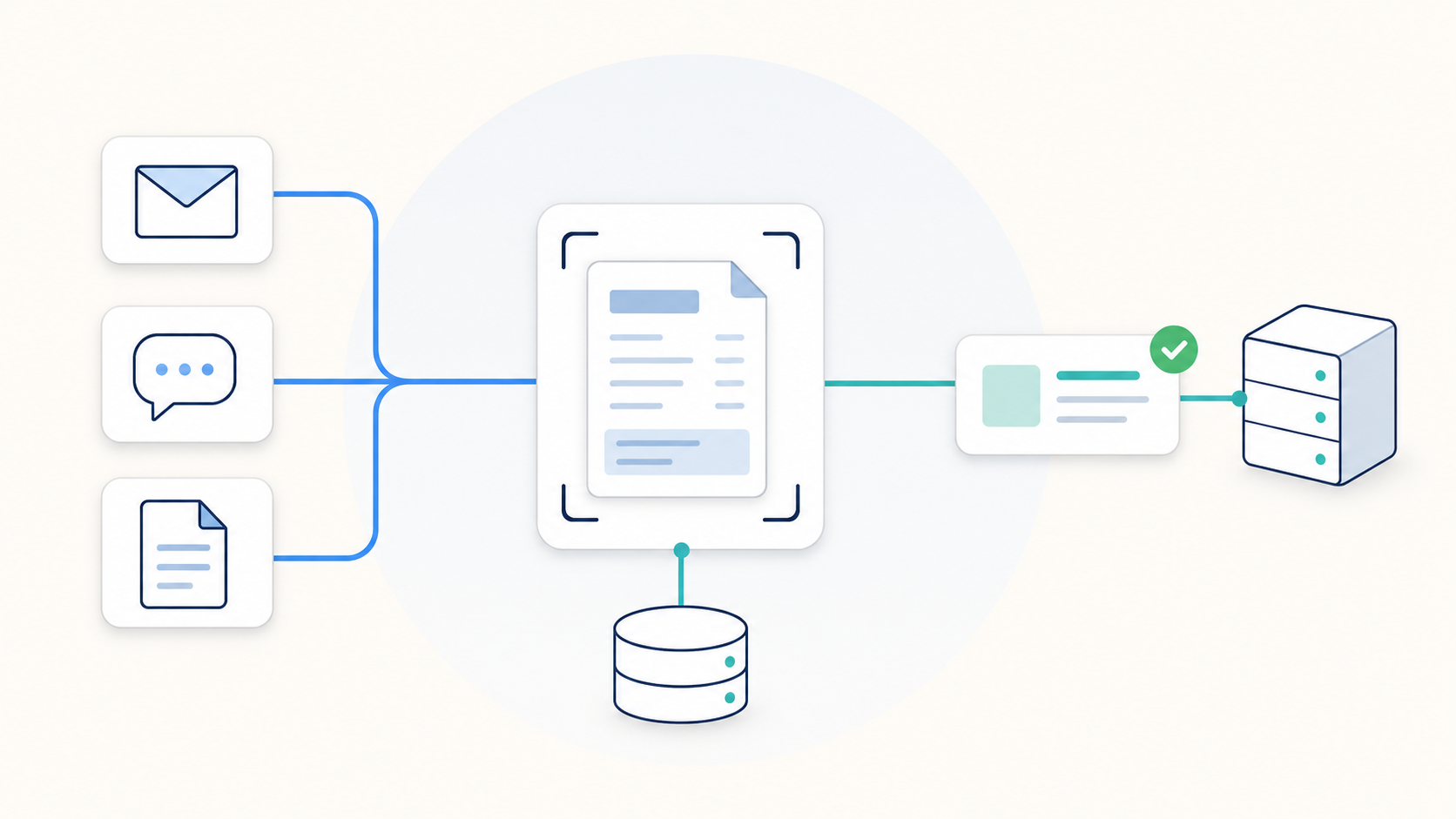
The exact implementation depends on the connected sources, reference data, validation rules, approval settings, and ERP or CRM integration. The workflow follows five main stages.
1. Capture
Each supported source enters TARVYX through a connected intake method. For email, TARVYX captures the message text and related attachments. Connected messaging sources can provide message content and files.
TARVYX keeps the original message and files linked to the order draft. Users can compare the processed data with the source without reopening the inbox or rebuilding the request.
Messaging platform availability and connection methods are confirmed during technical discovery and implementation.
2. Understand
TARVYX classifies the incoming request and identifies order-related content. It extracts relevant information from message text, PDFs, spreadsheets, scans, and images, then converts it into a common order structure.
The structured draft may include:
- customer details;
- purchase order reference;
- requested date;
- delivery information;
- line items;
- customer product codes and descriptions;
- quantities and units;
- prices;
- specifications and notes.
The processing method follows the source content. A native document can be parsed directly. A scan may require OCR or vision processing. A spreadsheet requires row and cell handling. Free text requires interpretation.
TARVYX uses the available request context to enrich the structured draft before matching and validation.
3. Match and validate
Customers may use their own product codes, descriptions, abbreviations, dimensions, units, and location names. Extracting those values does not automatically make them valid ERP or CRM data.
TARVYX compares incoming information with connected customer, product, catalogue, material, pricing, address, and other approved reference data. Exact identifiers can be resolved directly. Known aliases can use approved mappings. Ambiguous candidates remain available for review.
Depending on the implementation, validation may cover:
- required fields;
- customer and product matches;
- quantities and units;
- prices;
- delivery information;
- requested dates;
- product specifications;
- possible duplicate records.
AI can help interpret variable language and document layouts, but it should not create a product mapping or conversion that the business has not accepted.
4. Review and approve
TARVYX shows the structured order together with the source material and matching results. Users can review the order, correct values, resolve uncertain matches, and approve it before ERP or CRM delivery.
User approval is required by default and can be disabled in the workflow settings when automated processing is appropriate.
Orders with missing, conflicting, or uncertain data remain available for review and correction.
Approved user corrections can improve future processing and matching for similar orders. The exact learning behavior depends on the agreed configuration and reference data.
5. Send
After validation and, where required, user approval, TARVYX prepares the validated record for ERP or CRM.
The integration method depends on the target system and technical environment. It may use an API, middleware, or an implementation-specific interface. Acceptance rules, duplicate controls, retries, and error handling are defined as part of the integration.
TARVYX keeps the request and its processing status available, giving the order team visibility through validation, approval when required, and ERP or CRM delivery.
Different channels need different capture methods
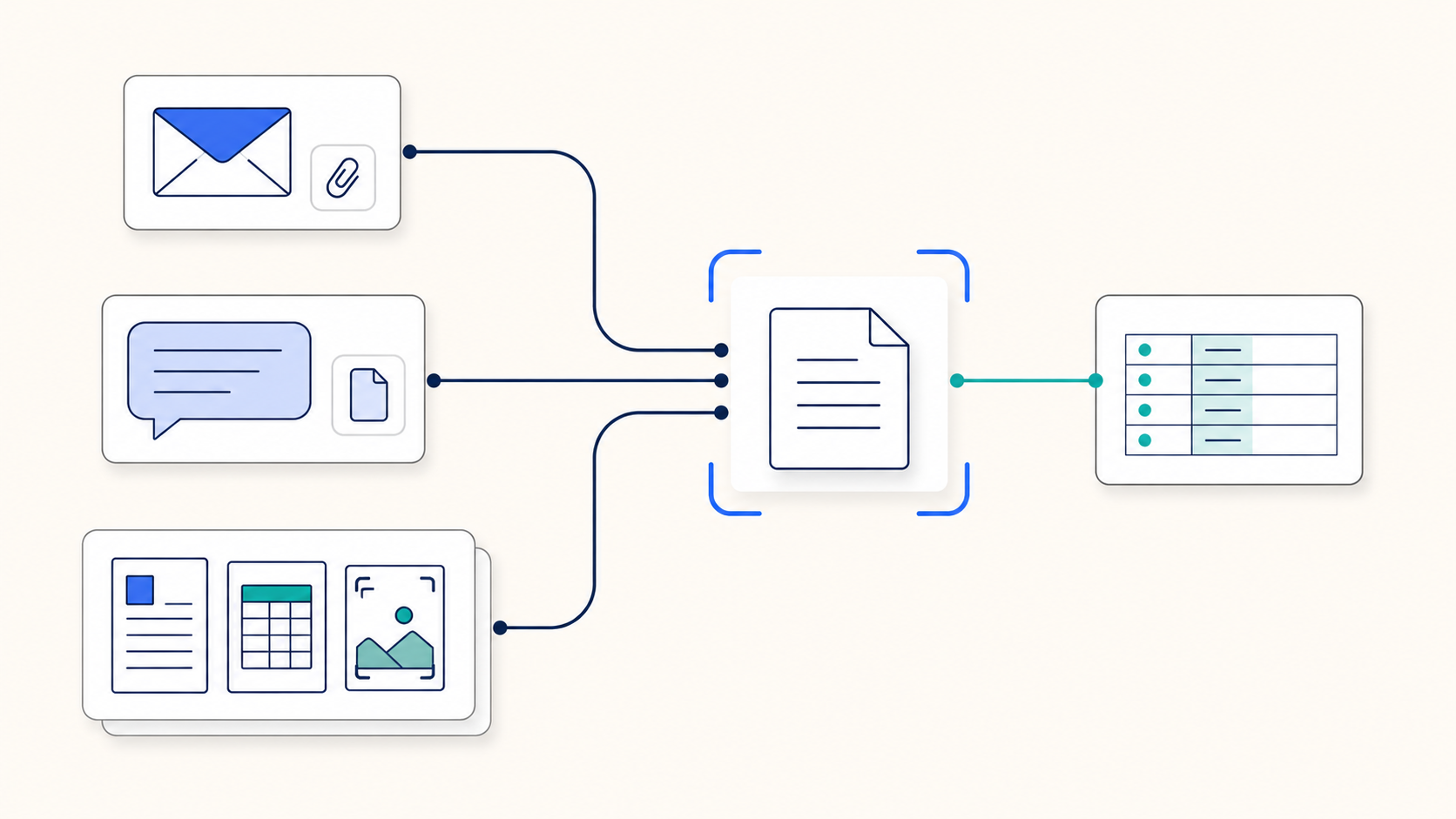
A workable multichannel order intake process does not pretend that every source behaves like email.
Email
Email often combines a message body with one or more attachments. Required information may be split between the email and the documents. TARVYX analyzes those elements as one email request context.
The email-specific workflow is covered in How TARVYX Automates Customer Orders Received by Email.
Messaging channels
Connected messaging sources bring message text and attached files into TARVYX. Once received, the request follows the same core workflow for classification, extraction, matching, validation, and review.
Messaging platform availability and the connection method are confirmed during technical discovery and implementation.
Documents and spreadsheets
PDF, Excel, scans, and images are formats, not order channels. They may arrive through email, messaging, or another supported source.
Keeping capture separate from document processing prevents the business logic from being tied to one connector. A PDF still needs the same customer matching and validation checks when it arrives through a different supported source.
Extracted data is not yet a valid order
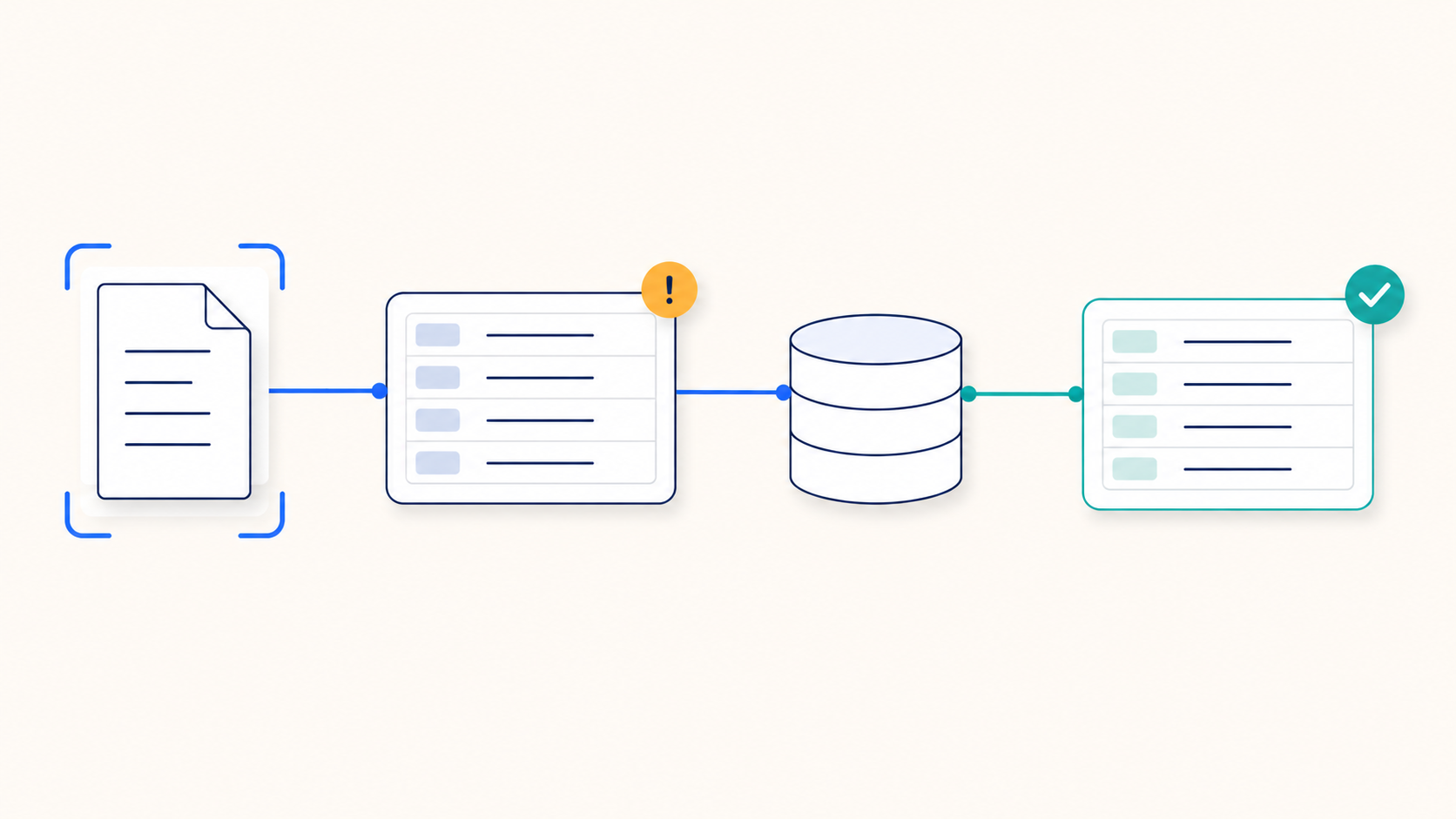
A parser may return a customer name, product description, quantity, and price without producing an order that the business can use. Those values describe what appeared in the source. They do not prove that the information is correct for the company's systems.
Before an order proceeds, the customer name must resolve to the right account. The product description must map to an approved internal item. The quantity must use the correct unit. Pricing and delivery details must satisfy the rules configured for the workflow.
OCR and document extraction answer one question: what does the source say?
Order intake must answer another: what should the business record, and is the request ready to move forward?
That requires reference data, matching logic, validation, exception handling, and an agreed downstream handoff. The source may be a short message or a complicated PDF. The operational checks remain necessary in both cases.
Unclear orders should stop for review

Automation should not turn uncertainty into a clean-looking error.
If TARVYX cannot match the customer, cannot resolve a product confidently, or finds a required value missing or inconsistent, it marks the order for attention rather than sending it downstream as though nothing were wrong.
The reviewer works with the source and the structured draft together. They can correct the problem and approve the order without entering the rest of the request again.
Approved corrections can also improve how similar requests are handled later. The exact learning behavior depends on the agreed configuration and reference data.
This is the practical difference between unstructured order processing and blind data extraction. TARVYX does not hide ambiguity. It brings the unresolved decision to the person who can make it.
When TARVYX is a good fit
TARVYX is designed for order operations where:
- Customers submit orders through more than one connected source.
- Order details arrive in messages, PDFs, spreadsheets, scans, or images.
- Customers use their own product codes, descriptions, units, or terminology.
- Employees manually compare requests with customer, product, pricing, material, or delivery data.
- Missing information and uncertain matches slow down processing.
- Approved order data must move into an existing ERP or CRM.
The strongest fit is a recurring order process with enough volume and reliable reference data to automate routine work while keeping users in control of approval and exceptions.
What changes for the order team
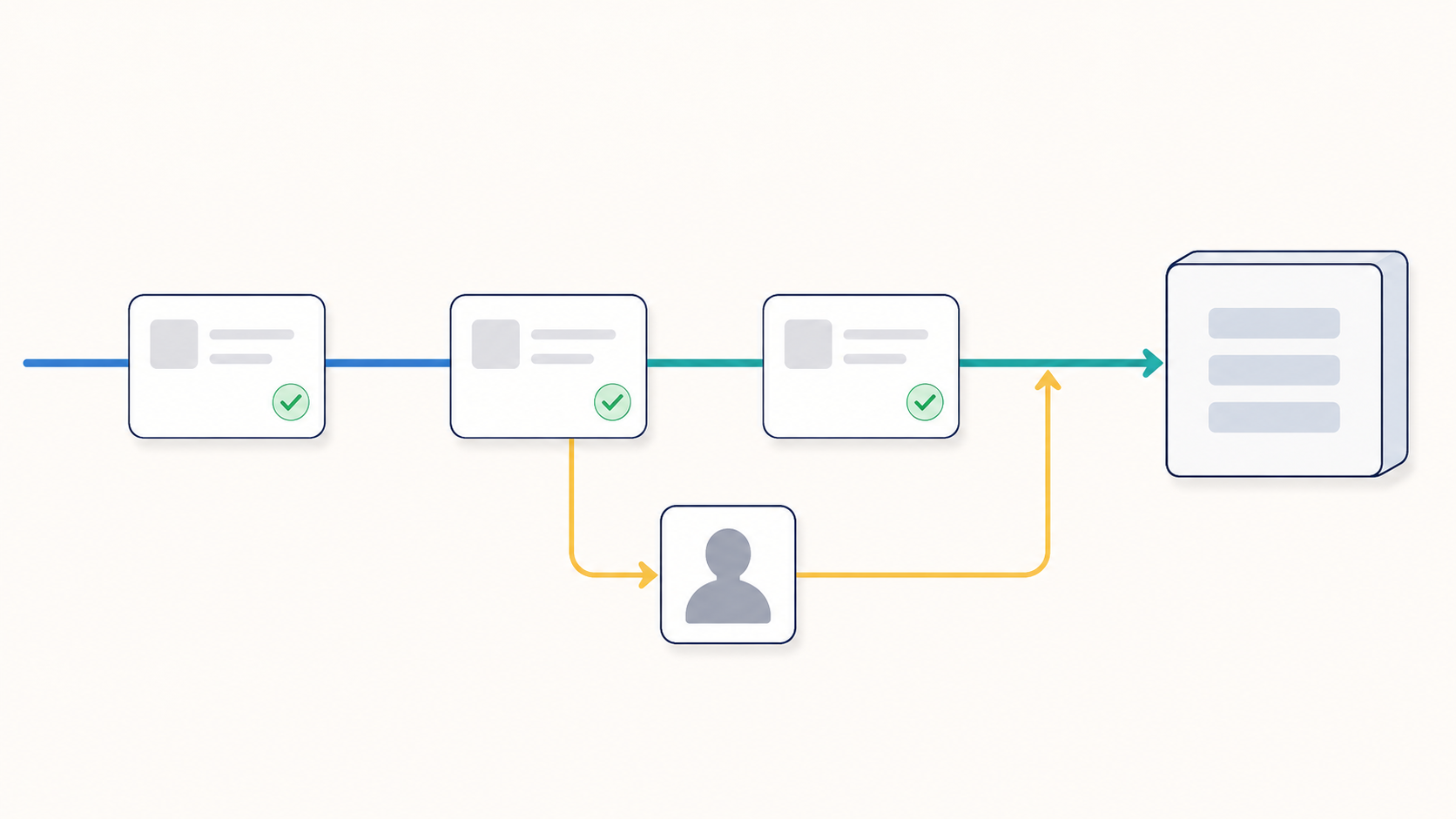
A common intake layer does not make customer requests uniform. It makes the company's response more consistent.
Order teams get one place to see new requests and exceptions. Customer and product matching can use approved reference data instead of personal memory. Validation follows the order through the workflow rather than living in separate checklists. Employees spend less time copying information between applications and more time resolving the requests that need commercial or operational judgment.
Customers keep using supported ordering methods that fit their existing habits. ERP and CRM systems stay in place. Operations gain a clearer record of what arrived, what required attention, and what was prepared for ERP or CRM.
That is the business value of multichannel order intake: different customer sources, one controlled path to a usable order.