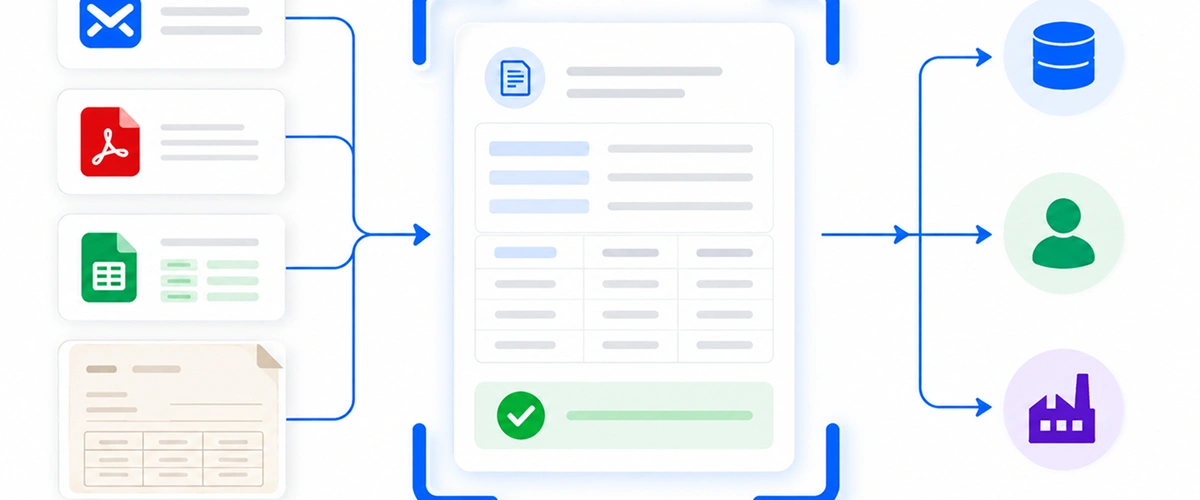
Customers send orders by email because email is already part of how they work. They do not need another account, a new purchasing process, or training on a supplier portal. They attach a purchase order, add a note, and press send.
That convenience moves the work to the order desk.
Someone has to open the message, understand what the customer wants, check the attachments, find the correct account and product codes, resolve missing details, and enter the result into an ERP, CRM, or production system. A straightforward order may take a few minutes. A revision with several files and customer-specific item names takes longer and carries more risk.
Tarvyx automates this intake process without asking customers to change how they submit orders.
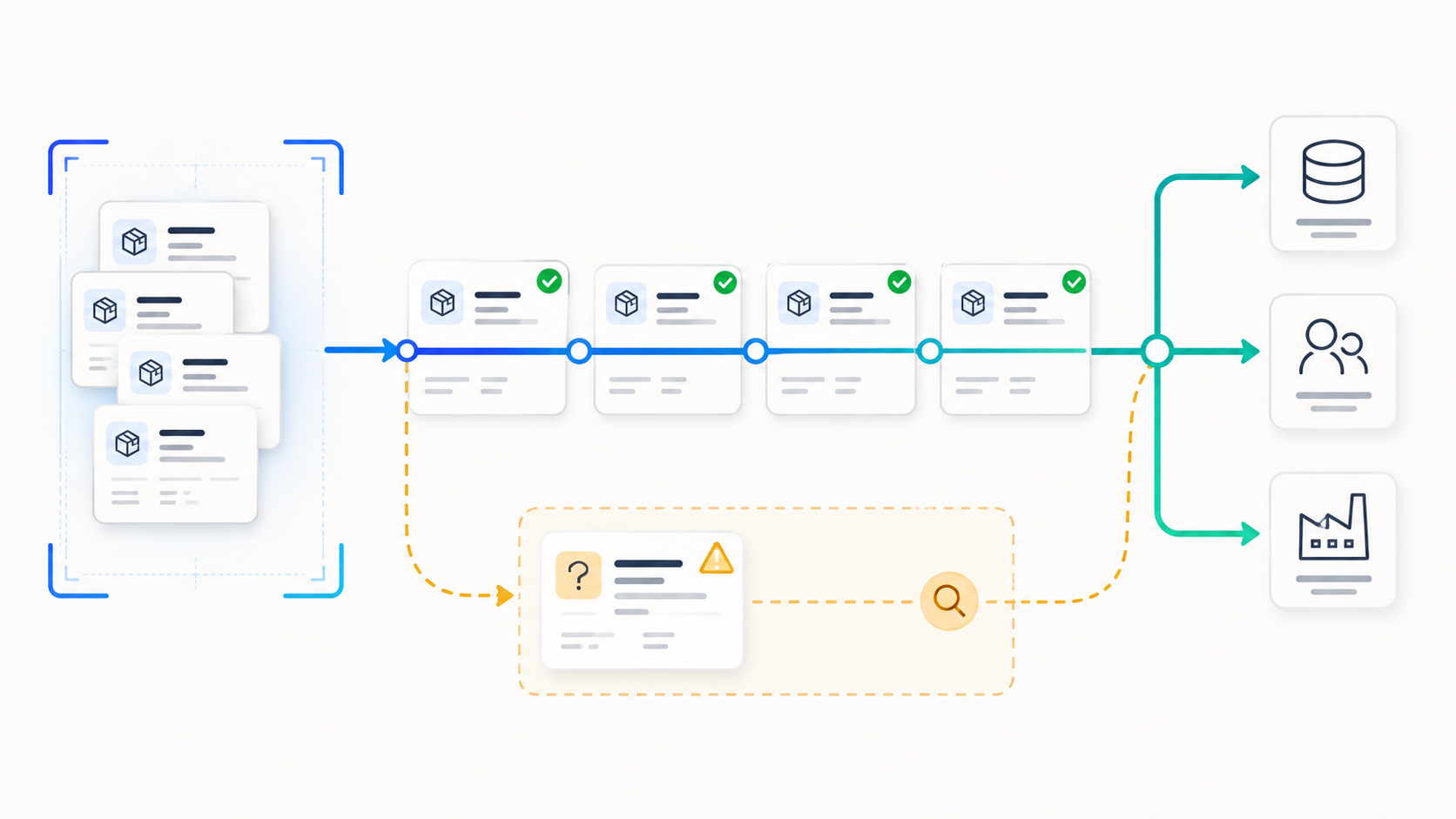
It connects to the mailbox where orders arrive, keeps the message and attachments together, identifies the request, extracts the relevant order data, matches it to internal records, checks the result, and routes uncertain cases to an employee. Once the order is approved, Tarvyx prepares the record for the systems that run the business.
Why email orders create so much manual work
An order inbox rarely contains clean, uniform requests.
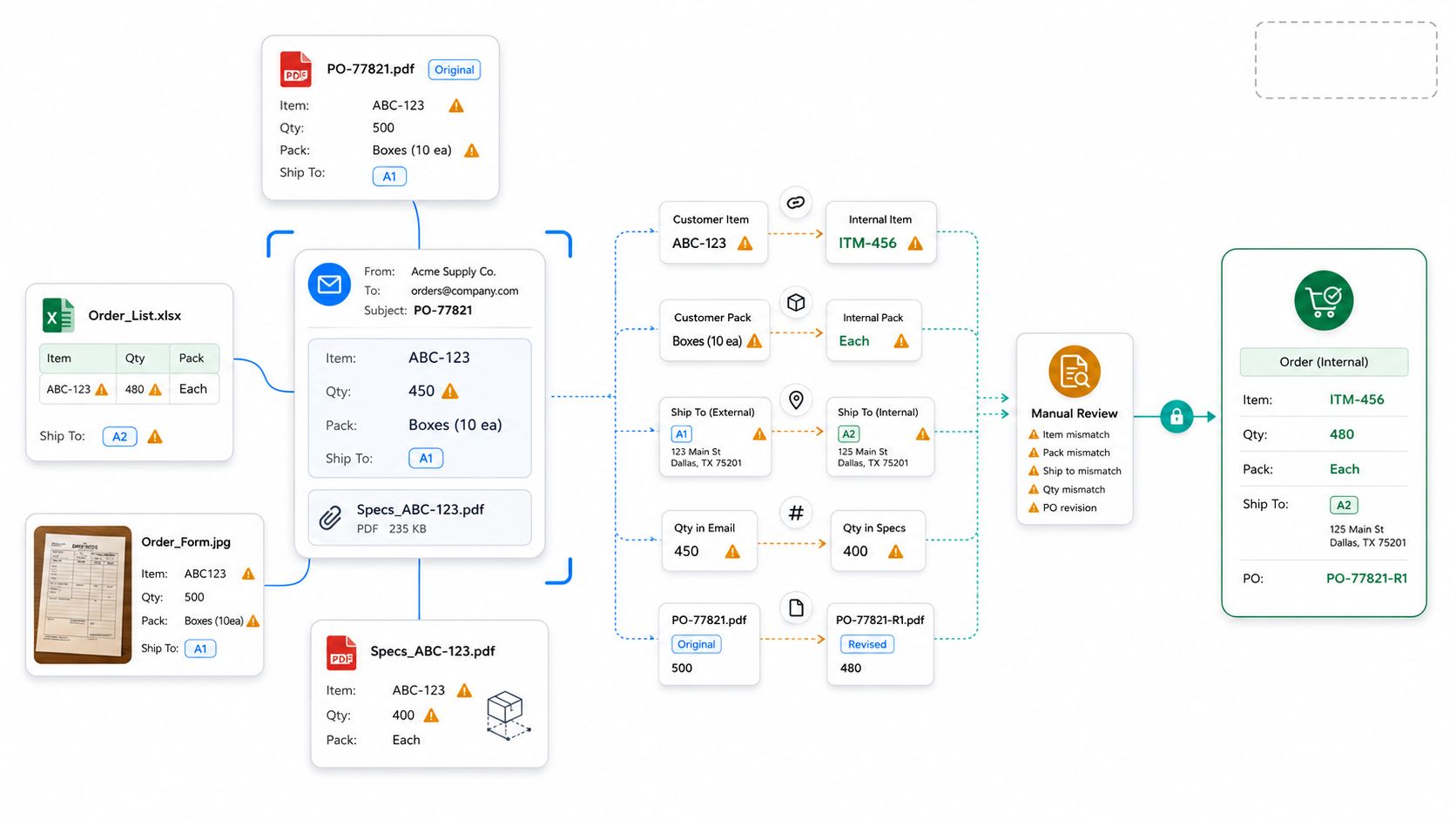
One customer sends a PDF generated by procurement software. Another sends an Excel file. A dealer photographs a form. Someone else puts the quantity in the email body and attaches a product specification separately.
The document layout is only part of the problem. Customer data often does not match the company's internal data:
- the customer uses its own product code;
- the product description is abbreviated;
- the ordered unit differs from the internal unit;
- the shipping location is written differently;
- the price comes from a customer-specific agreement;
- the email changes a date or quantity shown in the attachment;
- several orders arrive in one message;
- a revised purchase order looks like a new order.
An employee resolves these details through experience. They know which customer name belongs to which account, which catalogue code maps to which internal item, and which mismatches can be fixed quickly versus which require approval.
Traditional email rules can move a message into a folder. OCR can read text from an attachment. Neither one completes the operational job. The order still needs context, matching, validation, and a controlled path into the company's operational systems.
What happens when an order reaches Tarvyx
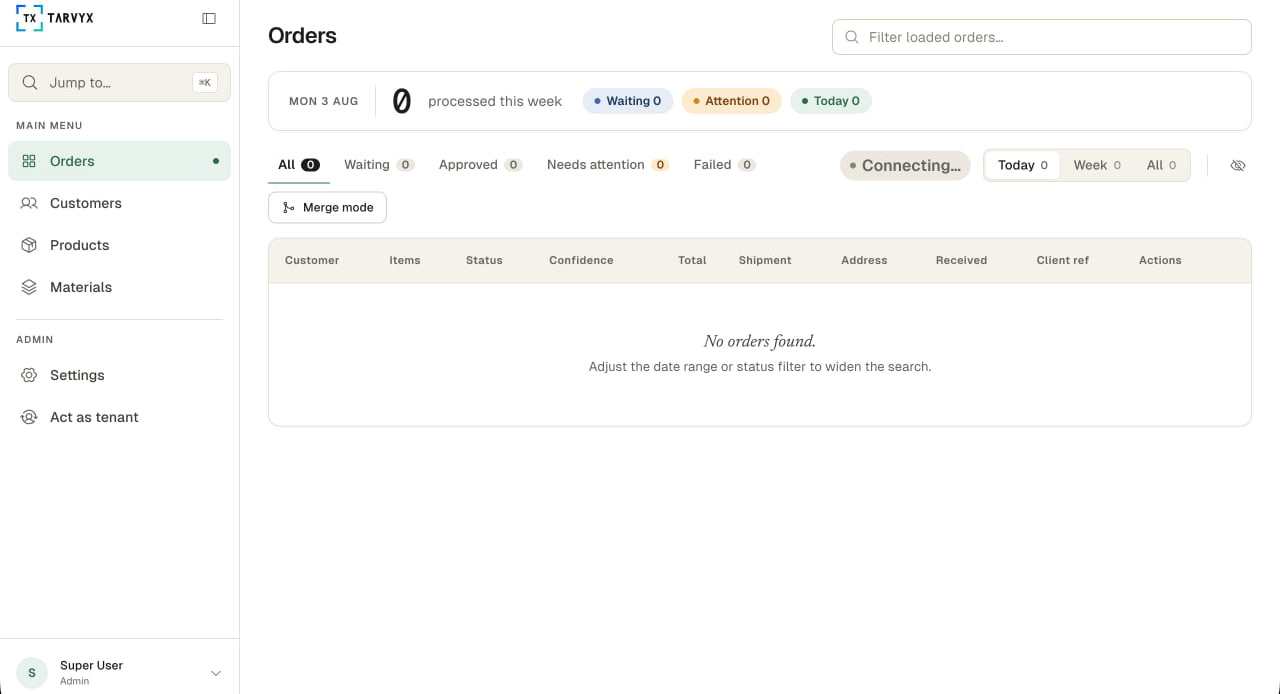
The exact workflow depends on the company's process, reference data, and target systems. The core sequence stays consistent.
1. Tarvyx captures the complete request
Tarvyx connects to the mailbox or shared inbox used for incoming orders. It records the sender, subject, message body, thread, attachments, and receipt time as one request.
This matters because the purchase order is not always self-contained. The email may include a corrected delivery date, a warehouse note, or a reference to an earlier conversation. Processing the attachment without the message can remove information that an employee would normally use.
Keeping the message and files together also provides traceability. An operator can see where the order came from and what the customer originally sent.
2. It separates orders from other messages
A shared inbox may receive quote requests, delivery questions, invoices, order changes, and regular customer correspondence. Sending every attachment through the same order workflow creates unnecessary work and can lead to incorrect records.
Tarvyx classifies incoming requests before treating them as orders. Based on the information available and the rules configured for that business, the workflow can separate new orders, updates, and unrelated messages. Uncertain requests stay available for review instead of moving downstream automatically.
3. It reads the email and its attachments
The processing method follows the source format. A native PDF can be parsed directly. A scan or image may require OCR or vision processing. A spreadsheet needs its own table and cell handling. The email body remains part of the request rather than being discarded after the attachment is found.
Tarvyx creates a structured draft with the fields required by the business.
These may include:
- customer and account;
- purchase order number;
- requested delivery date;
- billing and shipping details;
- line items;
- customer product codes;
- descriptions;
- quantities and units;
- prices;
- order notes.
4. It matches customer language to business data
Customers do not write orders using the company's internal identifiers. They use their own account names, part numbers, descriptions, abbreviations, and units.
Tarvyx compares the extracted information with connected customer, product, catalogue, material, pricing, address, and other reference data. Exact identifiers can be resolved directly. Known aliases can use approved mappings. More ambiguous descriptions can be compared with likely matches and shown to an employee when the answer is uncertain.
The same rule applies to units. If a customer orders boxes while the destination system stores individual items, the conversion must come from an approved packaging rule. The system should not invent that relationship from the wording of the order.
The result is a draft built around operational identifiers, not a copy of the text found in the document.
5. It validates the order before anything moves downstream
Tarvyx checks the draft against the rules configured for the workflow and the connected data available to it.
Depending on the implementation, these checks may cover:
- required fields;
- duplicate purchase order references;
- product and customer-code mappings;
- quantities and units;
- prices from an approved source;
- shipping information;
- requested dates;
- required product specifications.
These checks turn extracted data into an order the business can act on. Tarvyx does not use AI for every decision. AI helps interpret variable messages and documents.
6. It sends exceptions to the right person
Some orders will be clear. Others will contain a missing field, conflicting quantity, unknown code, revised attachment, or price mismatch.
Tarvyx routes these cases for review with the relevant context attached. Instead of rechecking every field, an employee sees the specific issue, the source document, the proposed value, and the information used for the match or validation. The employee handles the decision that requires judgment without processing the entire order again.
Approved corrections can also be saved as mappings or reusable examples for similar future orders, subject to the company's data and approval rules.
7. It sends the approved record to the right system
Once the required checks pass, Tarvyx prepares the record for the ERP, CRM, production system, or another operational destination.
The integration method depends on the existing stack. It may use an API, middleware, file exchange, or an implementation-specific interface. Tarvyx works in front of existing systems rather than requiring the company to replace them.
The delivery workflow records whether the destination accepted or rejected the order. Duplicate controls, retry behavior, and error handling are defined as part of the integration. The source email and files remain linked to the processed request.
The existing ERP, CRM, or production platform remains the operational system of record. Tarvyx handles the work between the customer's unstructured request and the validated record sent downstream.
How Tarvyx keeps email order context together
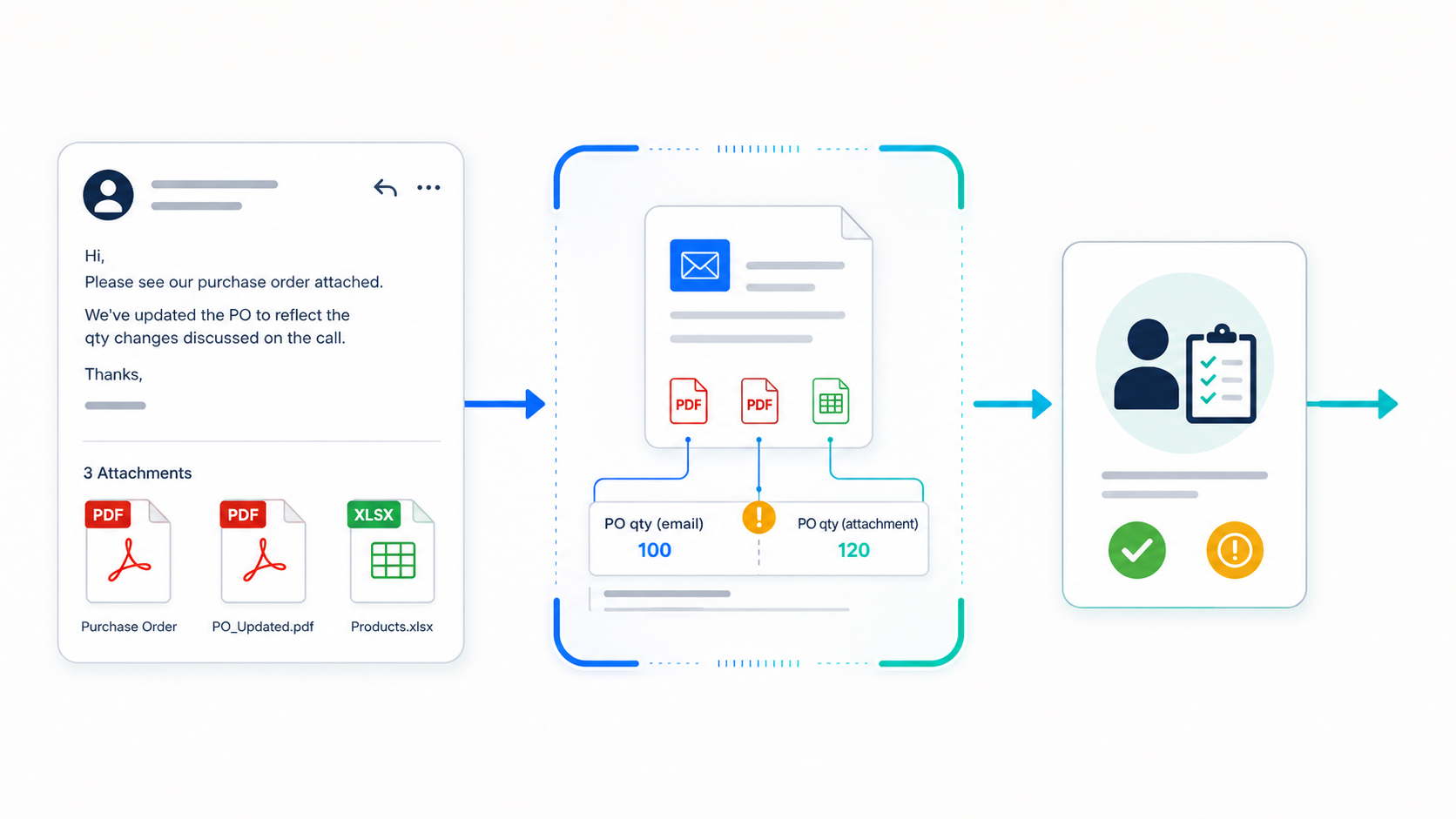
Complicated email orders rarely live in a single file. Important details may be spread across the message body, several attachments, and earlier replies in the thread.
Processing each file separately can break that context. An updated attachment may conflict with an earlier version, while a delivery note or product specification may appear only in the email itself.
Tarvyx keeps the message, thread, and attachments together as one request context.
Depending on the implementation, the workflow can surface missing, conflicting, or uncertain information and send the request to an employee for review before it moves downstream. The goal is not to force an automatic decision when the context is unclear. It is to preserve the source information and make the exception easier to review.
This approach is useful when:
- several purchase orders arrive in one email;
- one order is split across several attachments;
- important details appear partly in the message body;
- a typed note adds context to a scan or PDF;
- the customer forwards an earlier conversation;
- a new attachment conflicts with information already in the thread.
These requests require more context than a standalone document extraction tool can provide.
What the business gains
1. Customers keep using email
A portal can work well when customers are willing to adopt it, and the order format is easy to standardize. Many B2B relationships do not fit that model. Tarvyx accepts the customer's existing behavior as the starting point. The customer continues to use email, while the business gains a tracked internal process.
2. The order team works by exception
Employees no longer need to open every file and retype every field. Their attention shifts to the parts of the order that need commercial or operational judgment:
- an unknown product code;
- a price that does not match the approved source;
- a delivery request outside the configured rules;
- a missing product option;
- a revised order that affects downstream work;
- a low-confidence match between customer language and business data.
The team still controls approvals and exceptions. It does not need to rebuild the entire order before making those decisions.
3. Problems appear before downstream posting
Missing fields, conflicting values, and uncertain matches stay visible before the order reaches the ERP, CRM, or production workflow. This reduces the chance that an apparently complete order creates more work later.
4. Existing systems stay in place
Tarvyx adds intelligent intake, matching, validation, and review in front of the systems the company already uses. The implementation adapts to the available integration method rather than making ERP replacement a condition of automation.
5. Operations gain better process data
The business can see which customers, formats, products, or rules create the most exceptions. That information can guide catalogue cleanup, customer communication, mapping improvements, and future automation work.
What this looked like in a manufacturing workflow
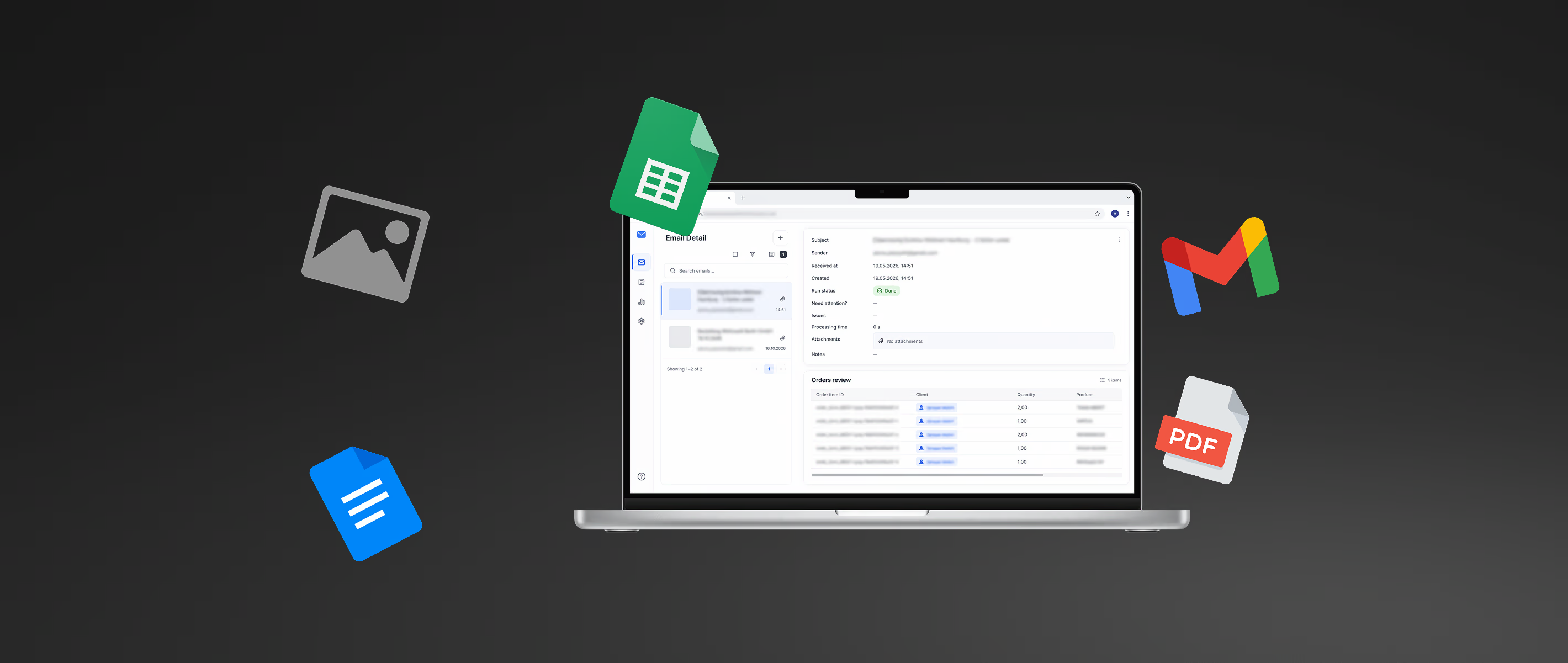
Aionys applied this architecture in an email order processing system for a furniture manufacturer.
The company received 15 to 20 or more dealer orders per day through email. The requests included PDFs, images, scans, and spreadsheets. Employees had to interpret product specifications and move the approved information into ERP, CRM, and production workflows.
The implemented system combined email classification, document processing, structured extraction, validation, review, and downstream integration. Its AI components ran inside the client's environment.
In that documented deployment, email order processing became up to 90% faster within one month. This result belongs to that specific workflow and should not be treated as a universal performance promise.
When email order automation is a good fit
.png)
Tarvyx is most relevant when:
- email remains an important order channel;
- employees retype order data into ERP, CRM, or production systems;
- customers use different document layouts or product codes;
- the business must check orders against catalogue, pricing, material, or reference data;
- exceptions and revisions take a disproportionate amount of employee time;
- order volume is growing faster than the team's processing capacity;
- forcing customers into a portal would create friction.
Bring a representative email order to a working session with Aionys. We can review how Tarvyx would capture the request, interpret the files, match the order to your business data, expose exceptions, and prepare the approved record for your ERP, CRM, or production systems.
Tarvyx is priced per user, not per order - see pricing and deployment options.
For a product-level overview of this workflow, see email order automation with Tarvyx.